Photoshop制作木地板LOGO刻印效果【英】
文章來源于 Tutsplus,感謝作者 Tom Piccarreda 給我們帶來經精彩的文章!素材下載地址:LOGO刻印效果展示模板PS教程素材
Learn how to take advantage of Photoshop's Smart Objects to mock up your logo with photorealistic results. Thanks to the use of multiple layer styles, we'll carve your logo into wood!
先看看效果圖

1. How to Create a Smart Object With the Right Perspective
Step 1
Download the Wood Texture and open it with Photoshop.

Step 2
Download the Perspective Image and open it with Photoshop.
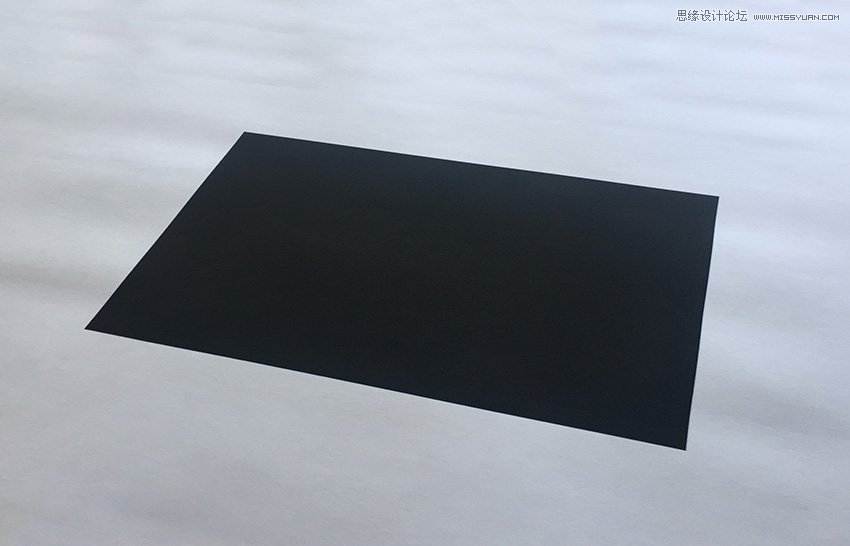
Step 3
In the top menu, choose Select > All and then Edit > Copy to copy the selection to the clipboard.
Go back to the background document and choose, in the top menu, Edit > Paste to paste the perspective image over the background.
Rename the layer by double-clicking directly on the layer's name in the Layers panel and changing it to "Perspective".

Step 4
Set the foreground color to yellow (any color different from black is good).
Then choose the Rectangle Tool, move the cursor over the canvas, and click. You’ll open a small dialog box that allows you to enter precise dimensions for your new shape. Type 1267 x 814 px and then click the OK button.
Rename the layer by double-clicking directly on the layer's name in the Layers panel and changing it to "Smart Object".
With the "Smart Object" layer selected, choose, in the top menu, Layer > Smart Object > Convert to Smart Object.
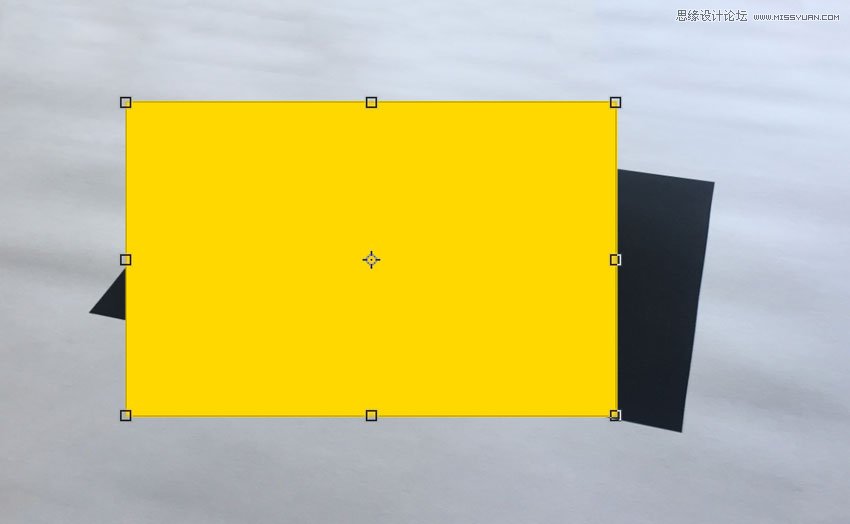
Step 5
Choose Edit > Transform > Distort and move the top right corner point to align it with the top right corner of the black rectangle

Step 6
Keep dragging the corner points until you align all the corners of the yellow rectangle with the black perspective image and cover the whole area:
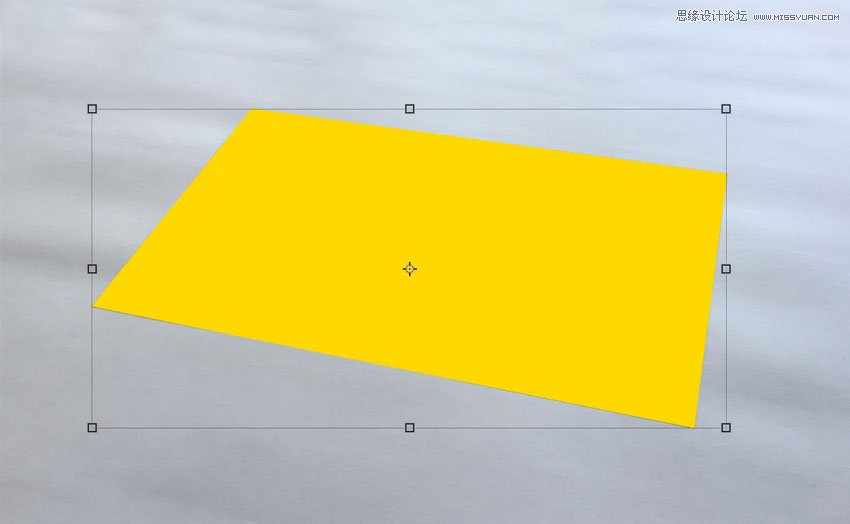
 愛你不要你
愛你不要你
-
 Photoshop制作復古風格的老照片效果【英】2018-04-23
-
 Photoshop合成長著創意大樹的長頸鹿【英】2018-04-23
-
 Photoshop合成冰凍特效的金魚場景【英】2018-02-10
-
 Photoshop合成夢幻風格的森林場景【英】2018-02-10
-
 Photoshop合成正在施法的巫師【英】2018-02-10
-
 Photoshop制作金屬質感的3D立體字【英】2018-01-09
-
 Photoshop設計火焰燃燒藝術字教程【英】2018-01-09
-
Photoshop制作復古風格的老照片效果【英】
相關文章11882018-04-23
-
Photoshop合成長著創意大樹的長頸鹿【英】
相關文章13832018-04-23
-
Photoshop合成冰凍特效的金魚場景【英】
相關文章34052018-02-10
-
 Photoshop制作黃金質感立體字【英】
相關文章7422018-02-10
Photoshop制作黃金質感立體字【英】
相關文章7422018-02-10
-
 Photoshop制作驚艷大氣的3D立體字
相關文章14682018-02-10
Photoshop制作驚艷大氣的3D立體字
相關文章14682018-02-10
-
Photoshop合成夢幻風格的森林場景【英】
相關文章24492018-02-10
-
Photoshop合成正在施法的巫師【英】
相關文章8372018-02-10
-
 Photoshop制作復古雙重曝光字體
相關文章6532018-01-09
Photoshop制作復古雙重曝光字體
相關文章6532018-01-09